The code snippet managerthat stays out of your way.
Save, organize, and copy your code snippets from any device. Local-first and free: it works offline, needs no account, and syncs through GitHub when you want it to.
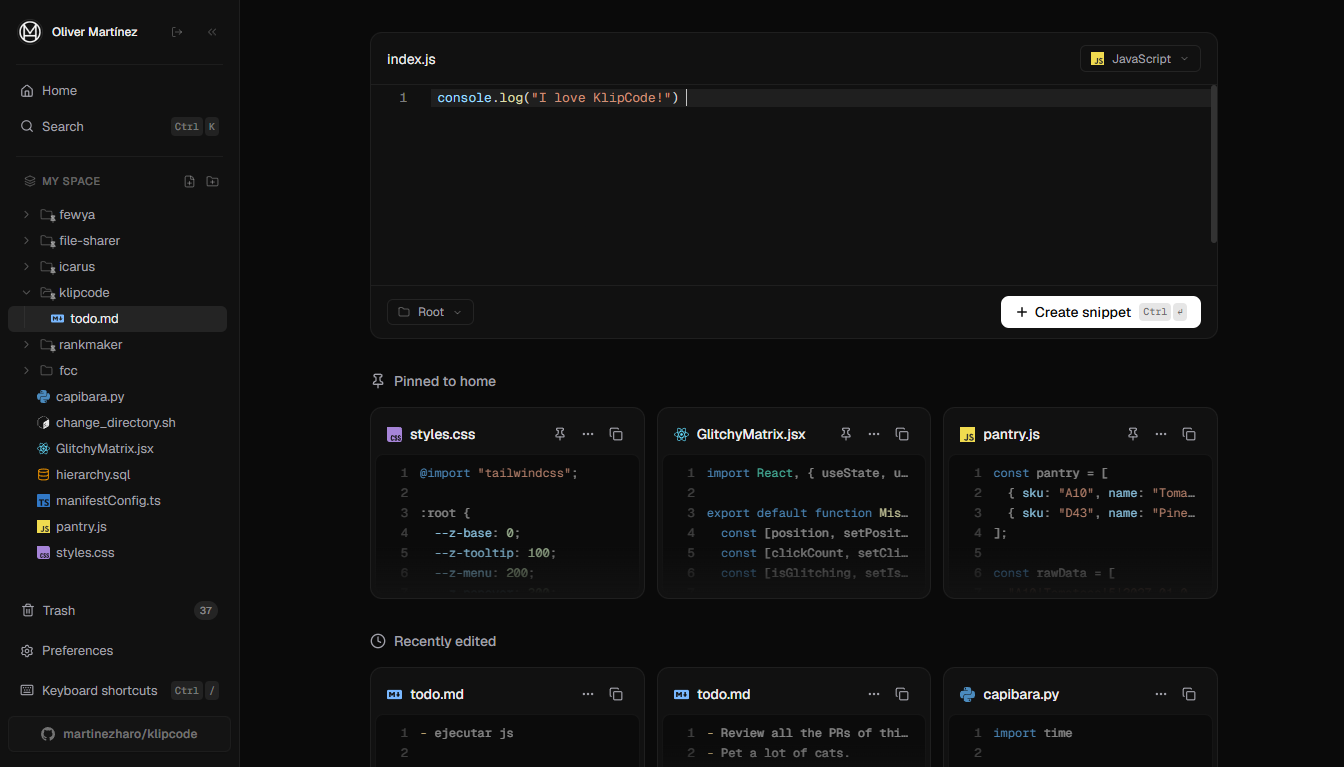
- Works 100% offline
- Your snippets live on your device
- Open source on GitHub
From paste to copy in seconds
No setup, no configuration. Open the app and start saving code snippets.
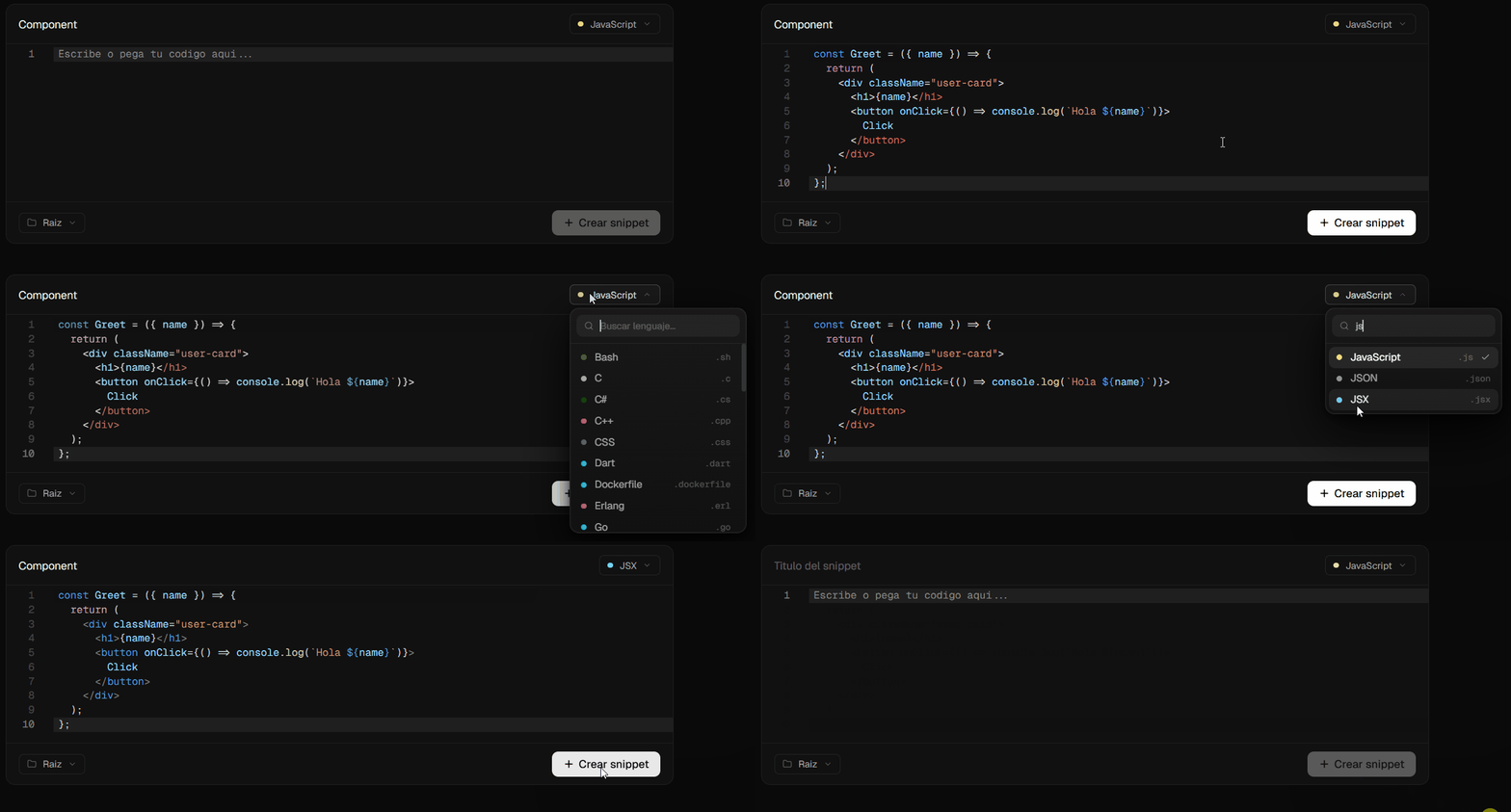
Create snippets in seconds
Pick a language, paste your code — done. Syntax highlighting and auto-save are built in.
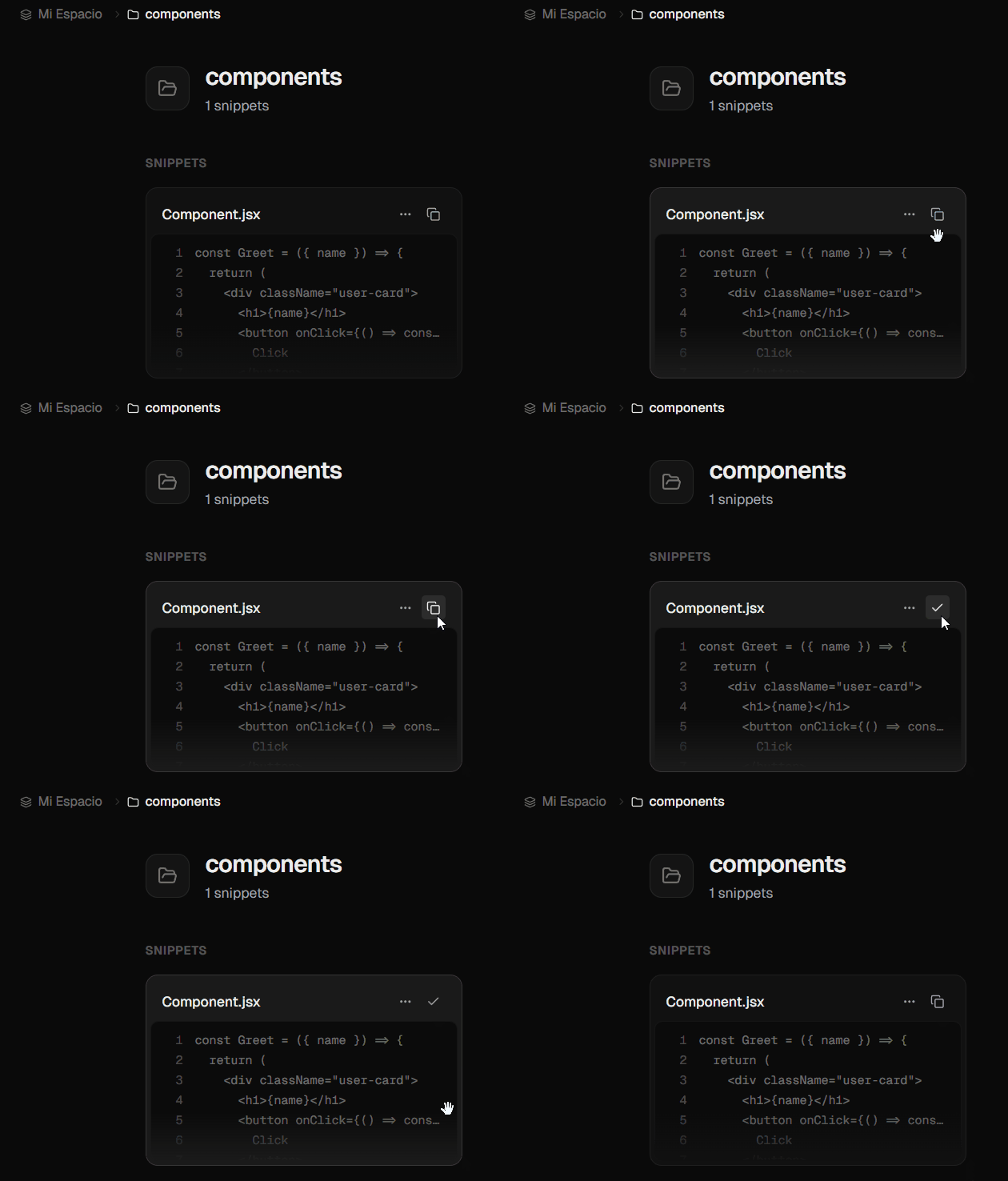
Copy with one click
Every snippet is one click away from your clipboard, on every device.
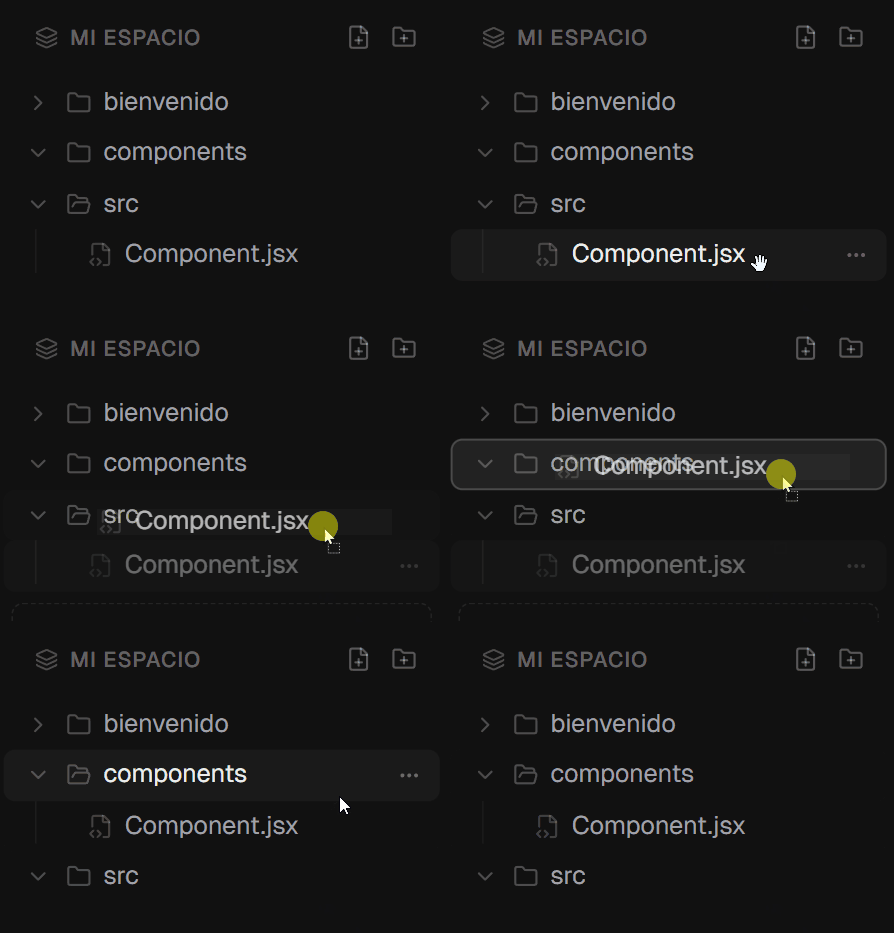
Organize intuitively
Drag and drop snippets and folders to arrange your workspace the way you think.
Everything you need, nothing you don't
Built for developers who value speed and simplicity.
Instant Save
Save a code snippet in two clicks. No sign-up walls, no friction.
One-click Copy
Copy any snippet to your clipboard instantly — no more digging through old projects and gists.
Nested Folders
Organize your snippet library with hierarchical folders that match your mental model.
Drag & Drop
Rearrange snippets and folders by dragging them where you want.
GitHub Cloud Sync
Sign in with GitHub and your snippets sync across all your devices automatically.
Advanced Code Editor
Syntax highlighting for 25+ languages, auto-save, and code formatting — all built in.
Frequently asked questions
Everything you might want to know before you start.
Is KlipCode free?
Yes — KlipCode is completely free and open source. There are no paid plans, no snippet limits, and no account required to use it.
Do I need an account to use KlipCode?
No. KlipCode is local-first: your snippets are stored in your browser and everything works without signing up. An optional GitHub sign-in enables cloud sync.
Does KlipCode work offline?
Yes. Snippets are saved on your device, so you can create, edit, and copy them with no internet connection. Changes sync automatically the next time you're online.
How do I sync snippets across devices?
Sign in with GitHub on each device. Your snippet library is backed up to the cloud and kept in sync automatically — edits on one device appear on the others.
Is my code private?
Your snippets stay on your device unless you enable cloud sync. With sync on, they're stored in a private database only your account can access — and the entire codebase is open source, so you can verify it.
Which programming languages are supported?
KlipCode highlights more than 25 languages — JavaScript, TypeScript, Python, Go, Rust, SQL, HTML, CSS, and more — plus a rich Markdown mode for notes and docs.
Ready to organize your code?
Free, open source, and ready in seconds. No account, no setup, no limits.
Launch KlipCode